Loading

Price Drop Protection | Improving clarity to increase traveler trust


The problem

Expedia’s Price Drop Protection gives travelers a refund if the price of their flight drops after booking. There are two types: a paid version that gives money back and a loyalty version for Gold and Platinum members that gives the difference in OneKeyCash.


Despite its value, it had persistently negative Net Promoter Scores (NPS). Travelers often misunderstood how price checks worked and what qualified as a price drop, which led to confusion and frustration.


The solution

A content audit revealed gaps in clarity and consistency across the experience. Updates focused on improving how Price Drop Protection is explained across key touchpoints to build traveler trust.


My role

I took over as the content designer for Price Drop Protection and led the content audit of the end-to-end experience. I reviewed prior user research and partnered with product, design, and legal to improve the experience across the flow.


Discovery & collaboration

We started by reviewing existing research to understand where travelers were getting confused. Several things stood out:

• Many travelers thought prices were matched against flights on other travel apps.

• Because the listed criteria didn’t include departure time, some assumed the match applied to the same route at any time that day.
• The “how it works” modal said prices were checked daily. Many interpreted this as multiple checks per day, when in reality it was only checked once.

• The description said prices are “tracked,” which led some travelers to confuse Price Drop Protection with Price Tracking, a separate feature for flights that haven’t been booked.
• Some travelers didn’t know about the Price Drop Protection Dashboard, where they can check the price of their exact flight.


Journey map

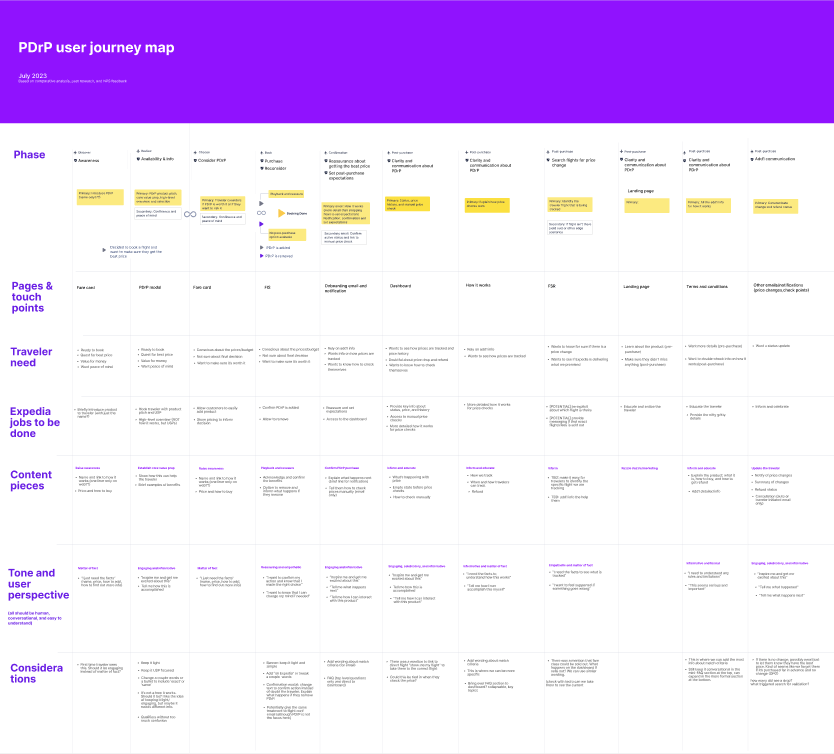
After reviewing the research, I created a journey map to understand the end-to-end experience and identify where clearer messaging could improve the flow.


Our approach 

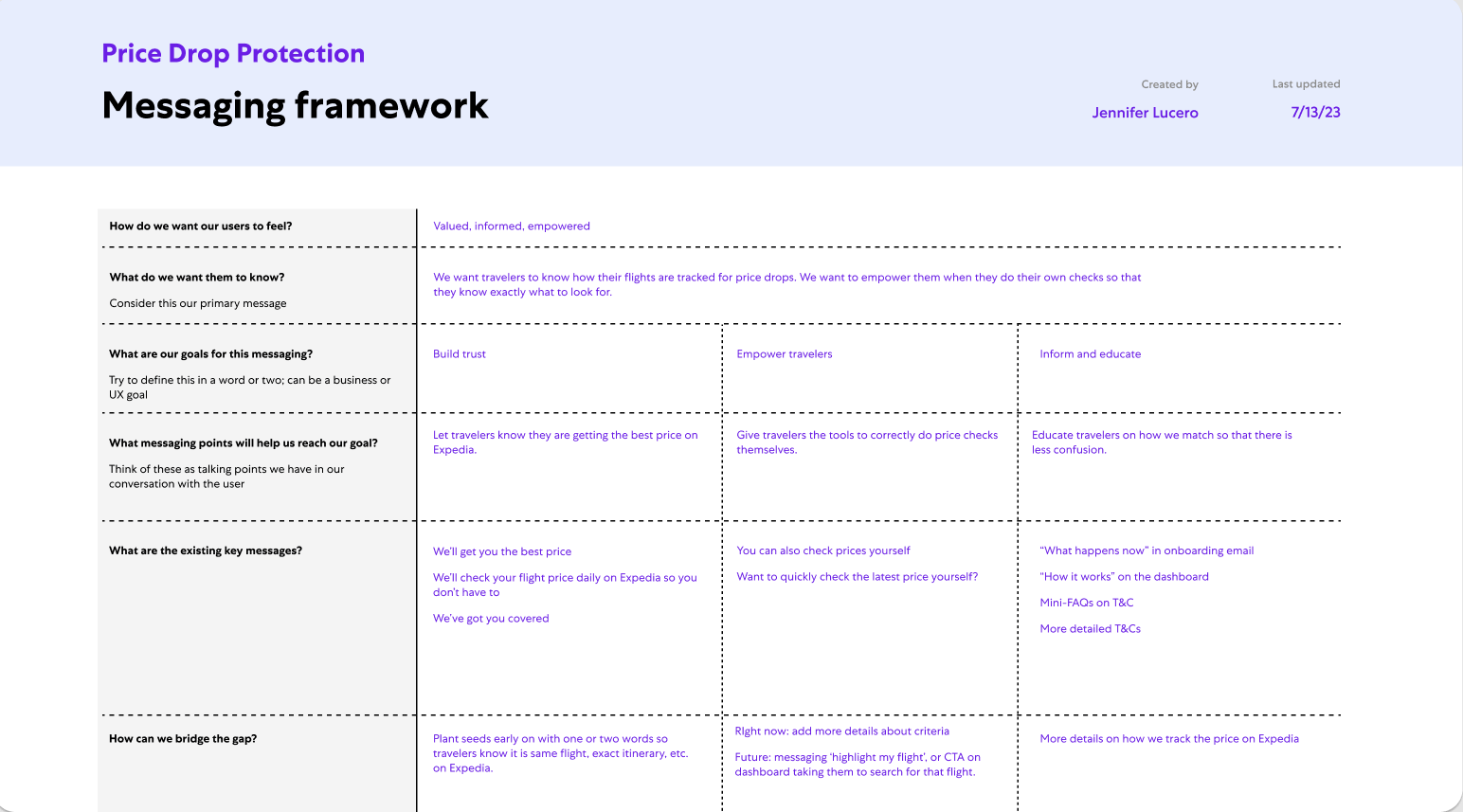
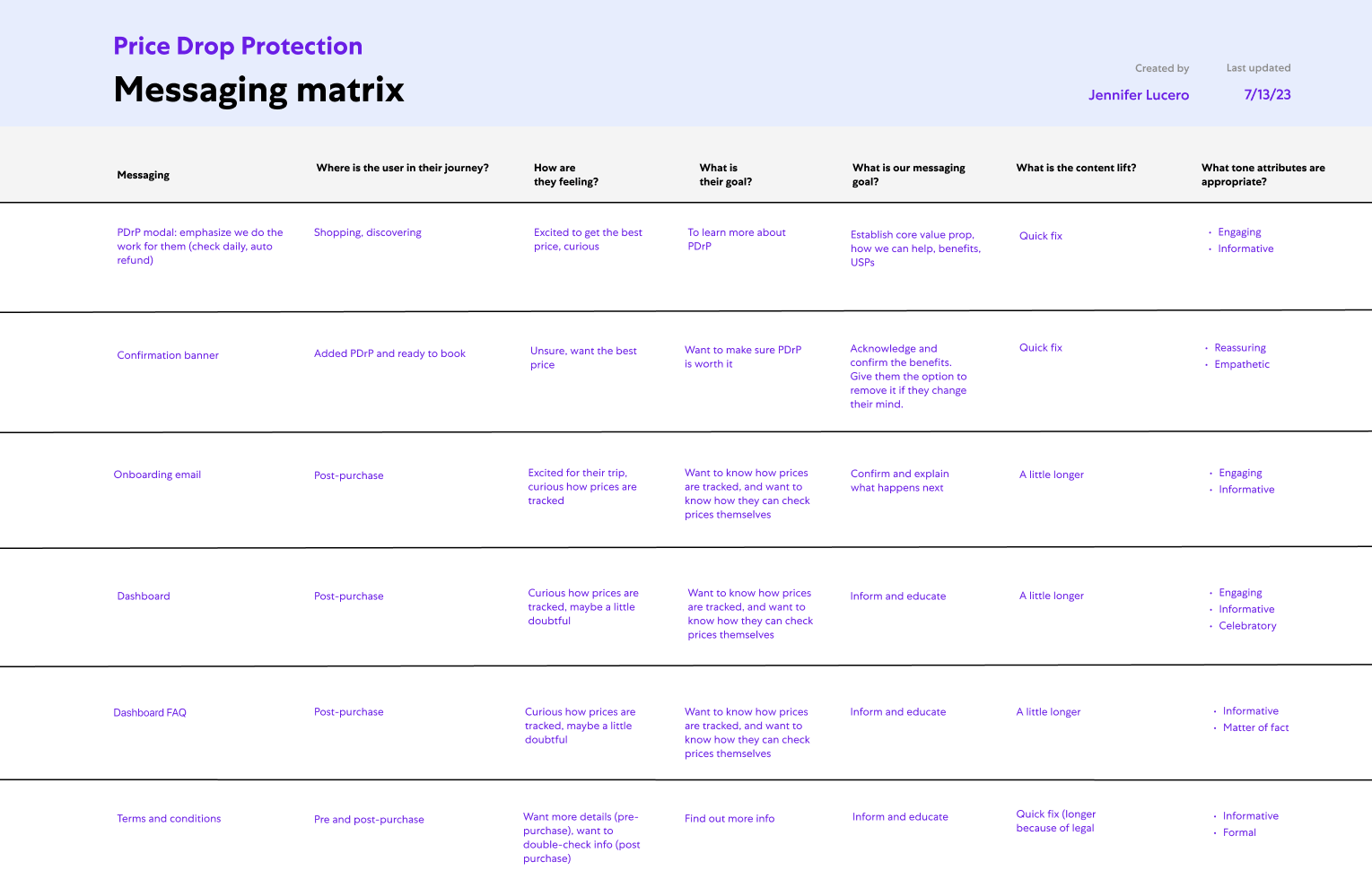
Based on these insights, I developed messaging frameworks to guide how Price Drop Protection should be explained. I then audited the existing flow to identify where updates were needed.


I used these frameworks to shape updates across the entire Price Drop Protection experience. The audit covered everything from priming banners and the “how it works” modal to post-booking emails, the dashboard, and supporting content like FAQs and terms and conditions. 


Improving the experience

To address the gaps identified through research insights and the audit, I updated content across the end-to-end flow. The examples below highlight a few of the most impactful changes that clarified how price checks work, what qualifies for a refund, and where travelers can check prices themselves.

 
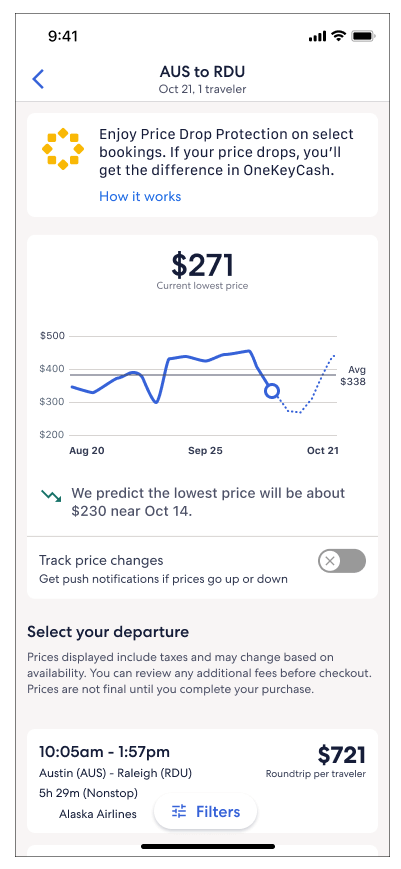
Loyalty banner

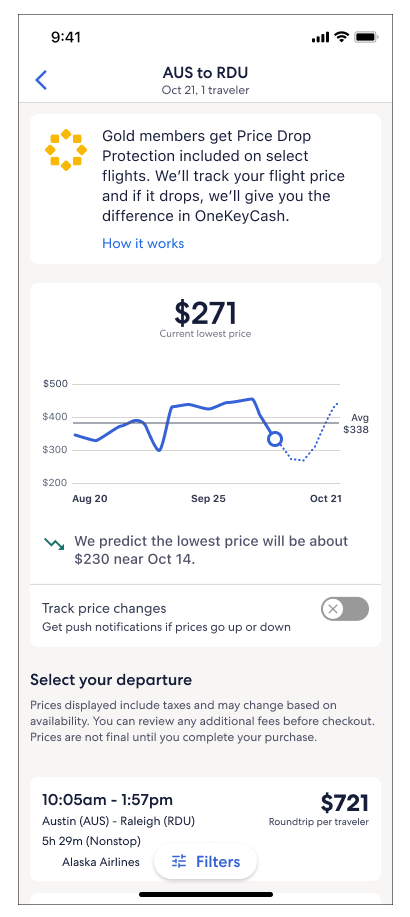
Gold and Platinum members first encounter Price Drop Protection on the search results screen.

Before
After

What changed

• We first shipped a version with minor tweaks, such as removing the word “track.”

• A later update simplified the message to focus on the benefit.


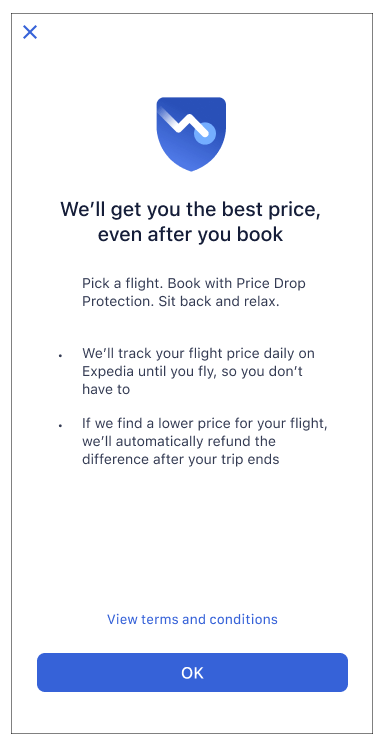
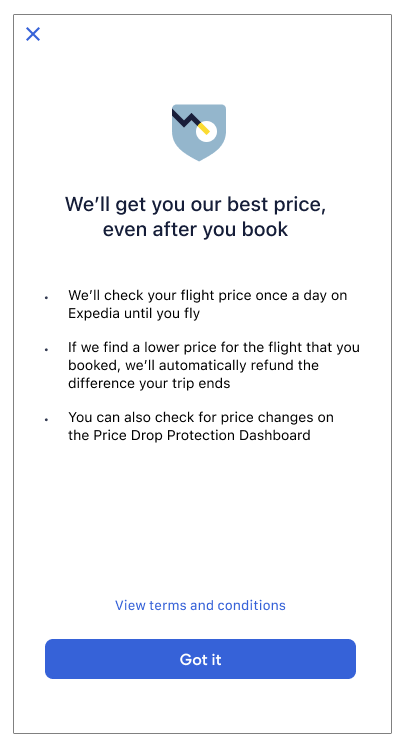
Paid how it works

When choosing a flight, travelers can open this modal from the fare card.

Before
After

What changed

• Updated wording to show that this refers to Expedia’s price.

• Clarified that price checks happen once per day and only apply to the specific booked flight.

• Introduced the dashboard to encourage travelers to check prices themselves.

 
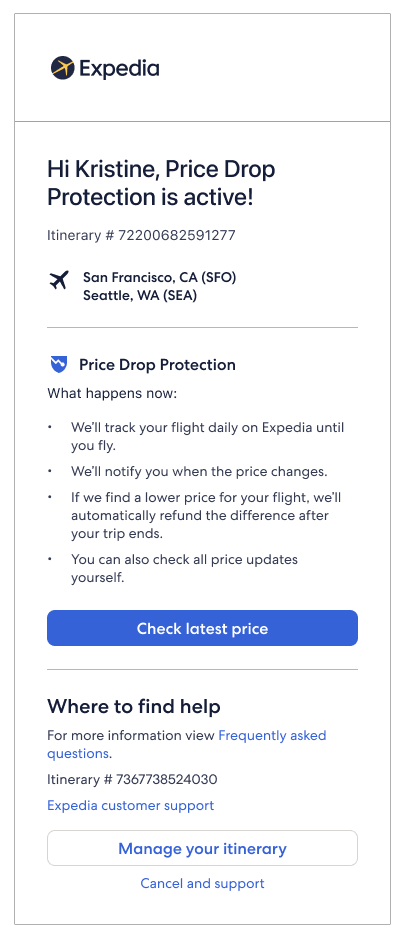
Paid onboarding email

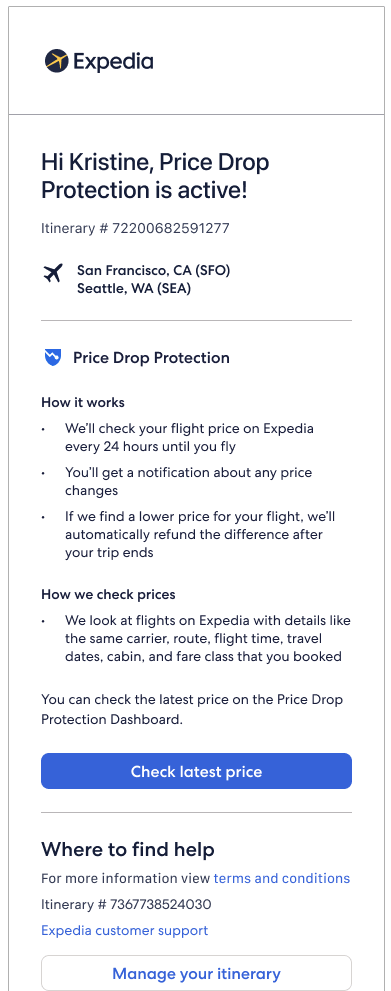
After booking, travelers receive a confirmation email with details about Price Drop Protection.

Before
After

What changed

• Clarified how often prices are checked.

• Added details about what qualifies for a price drop.

• Explained that the CTA takes travelers to the dashboard.

 
Price Drop Protection dashboard

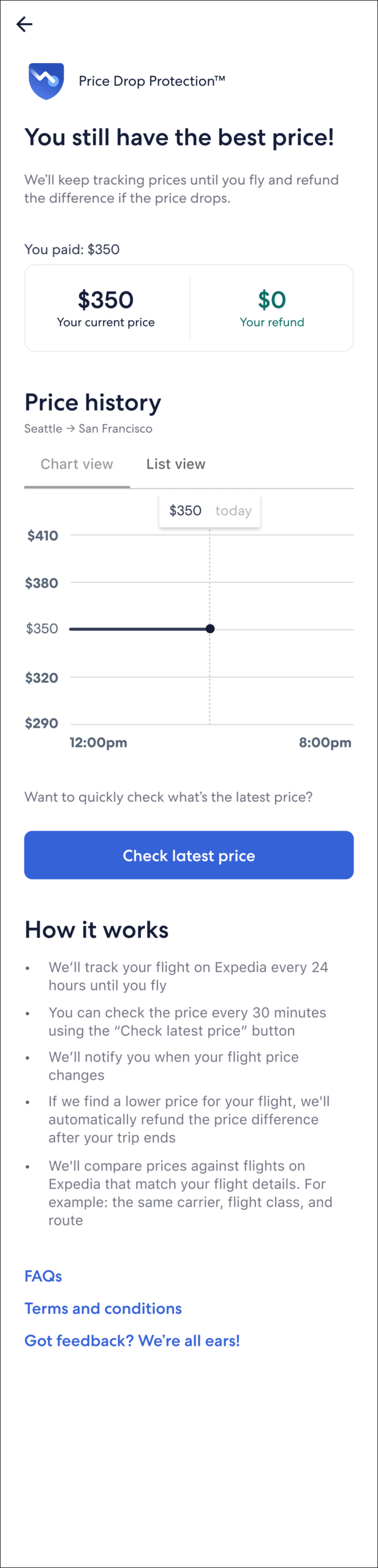
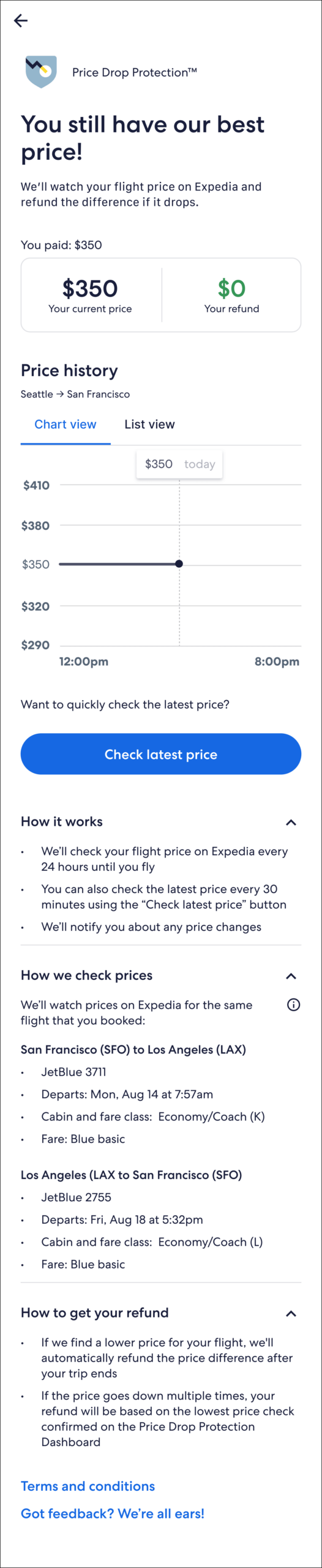
Travelers can use the dashboard to check the price of their booked flight and see how price comparisons work.


Research insight

Research showed that the bullet listing the match criteria caused confusion. The wording suggested multiple flights were checked, and because the departure time was not listed, some travelers assumed other flights on the same route could qualify for a refund.

Before
After

What changed

• Updated wording to clarify that this refers to Expedia’s price and avoid confusion with Price Tracking.

• Added a popover explaining cabin and fare class, which are part of the match criteria.

• Worked with engineering to decide which itinerary details to pull directly from the booking.

• Added a mini FAQ and a section explaining what qualifies for a refund.
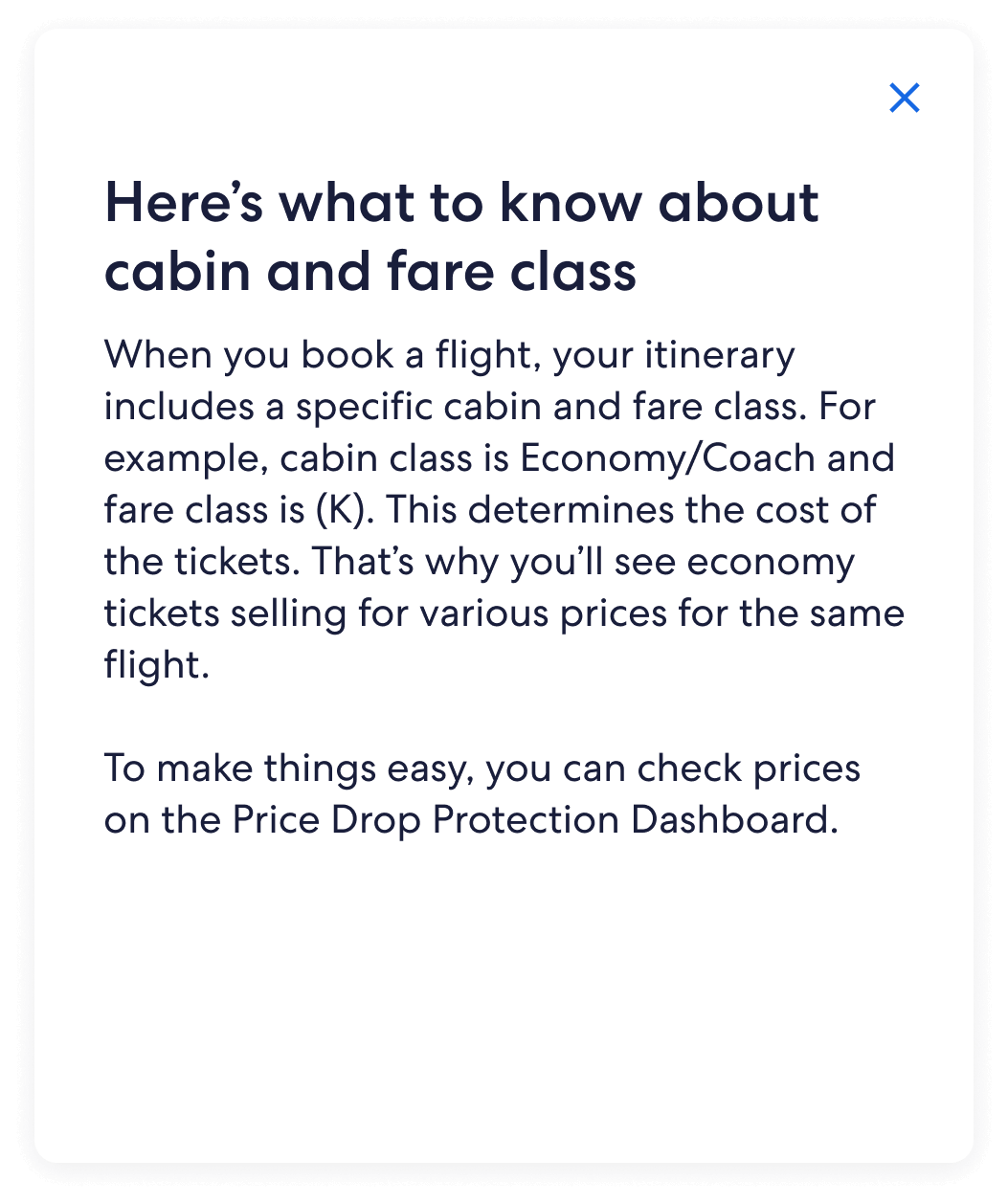


Popover explaining cabin and fare class

Where we landed

After the updates launched, Net Promoter Scores improved and travelers showed a clearer understanding of how Price Drop Protection works. Confusion about price checks also decreased. For example, travelers were less likely to assume prices were matched against flights on other travel apps.


Next steps

We planned to continue improving the dashboard to encourage travelers to check prices themselves. Future work included refining the interaction so travelers could jump directly from the dashboard to search results and view their exact flight. These improvements would also require clearer guidance to help travelers understand what they are seeing and how price comparisons work.


© 2026 Jennifer Lucero