Paycheck corrections | Reducing care calls by making payroll changes easier
The problem
QuickBooks customers sometimes needed to correct paycheck errors but were blocked from making changes on their own. This often left them frustrated and forced them to contact support, creating a time-consuming experience for both customers and care agents.
The solution
We redesigned the correction flow so customers could fix paycheck errors on their own. Clear, step-by-step guidance explained what to do and what to expect, helping customers complete corrections with confidence while reducing support calls.
My role
As the content designer on this project, I focused on writing supportive, easy-to-follow guidance for sensitive payroll corrections. I collaborated closely with design, product, engineering, legal, and compliance partners to shape content across the correction flow.
Impact
Reduced care calls by ~80,000 within the first 30 days after launch by simplifying the paycheck correction experience.
Original experience
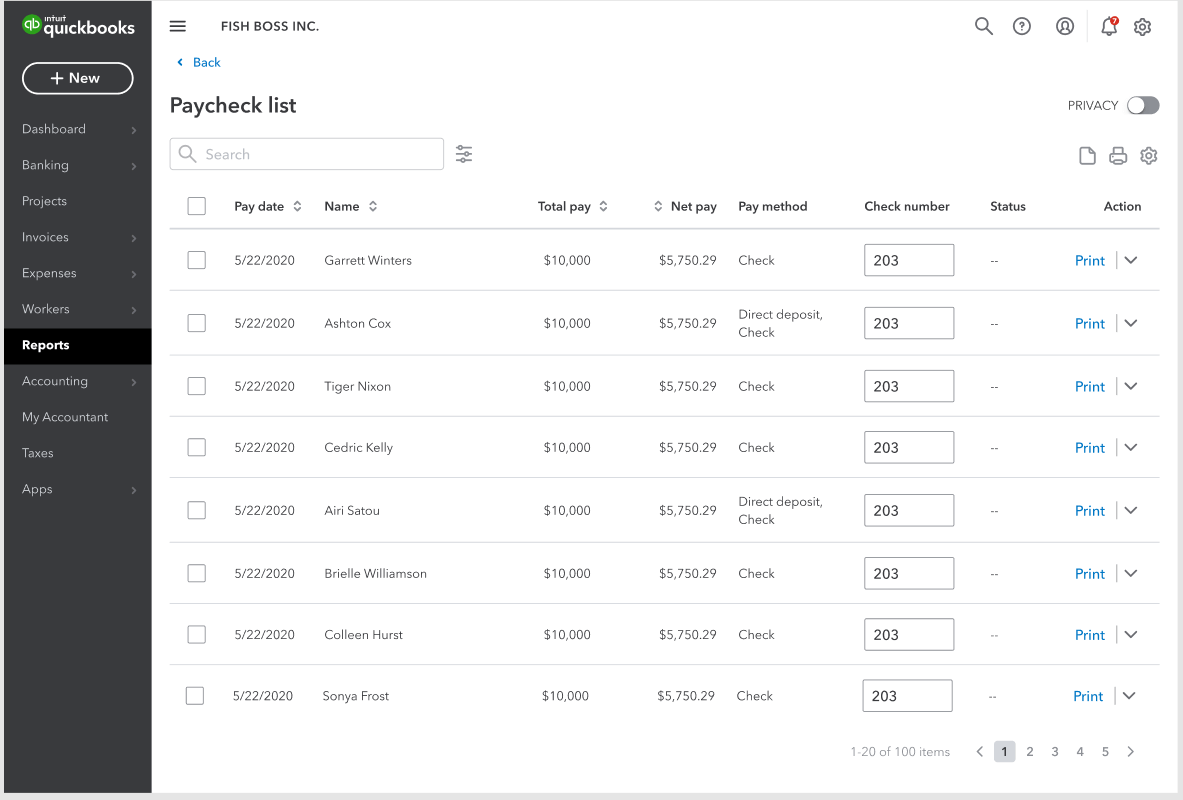
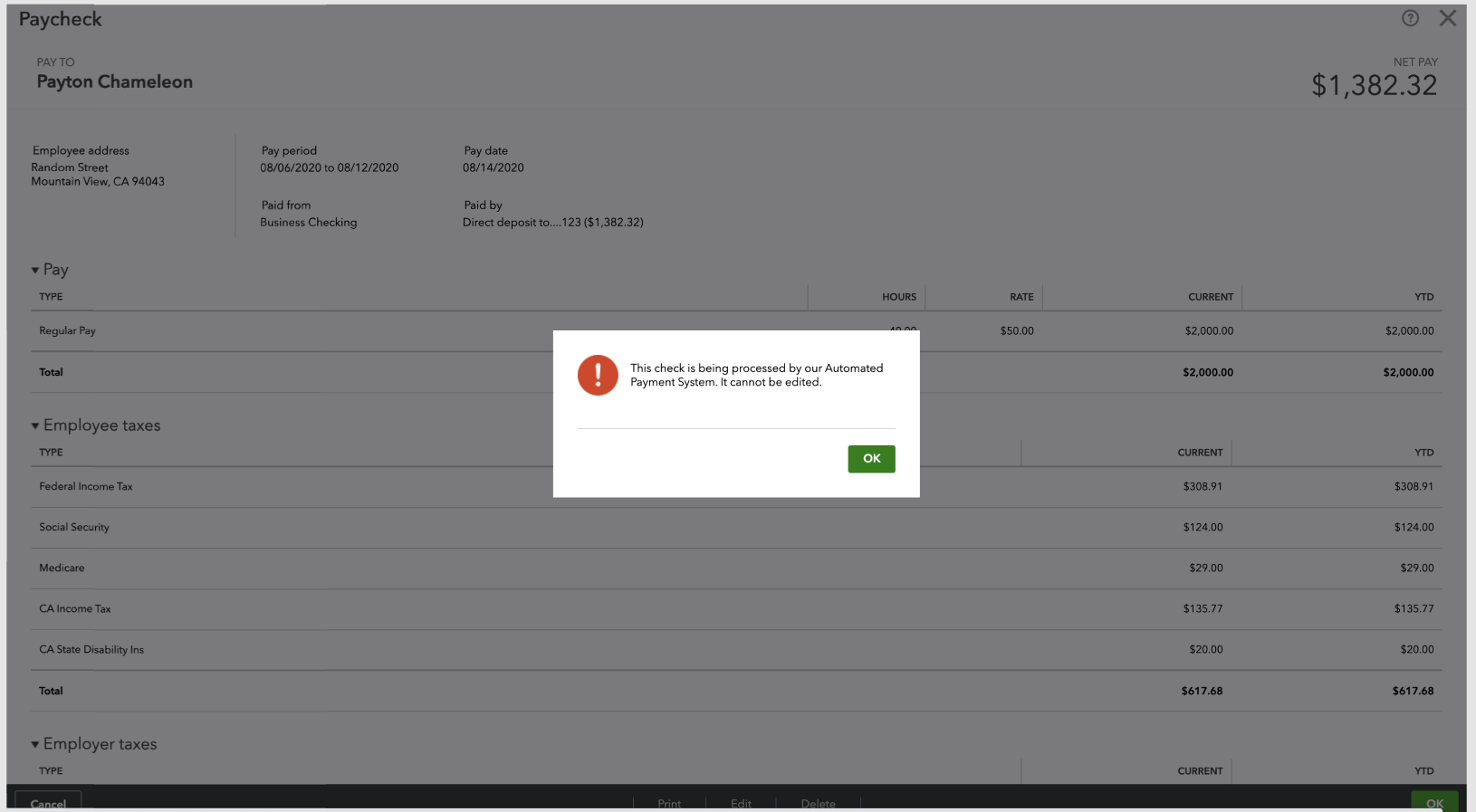
When customers couldn’t make a correction, the product either hid the option or blocked them without explaining why.
The message gives a reason, but it doesn’t clearly explain what it means or what to do next.
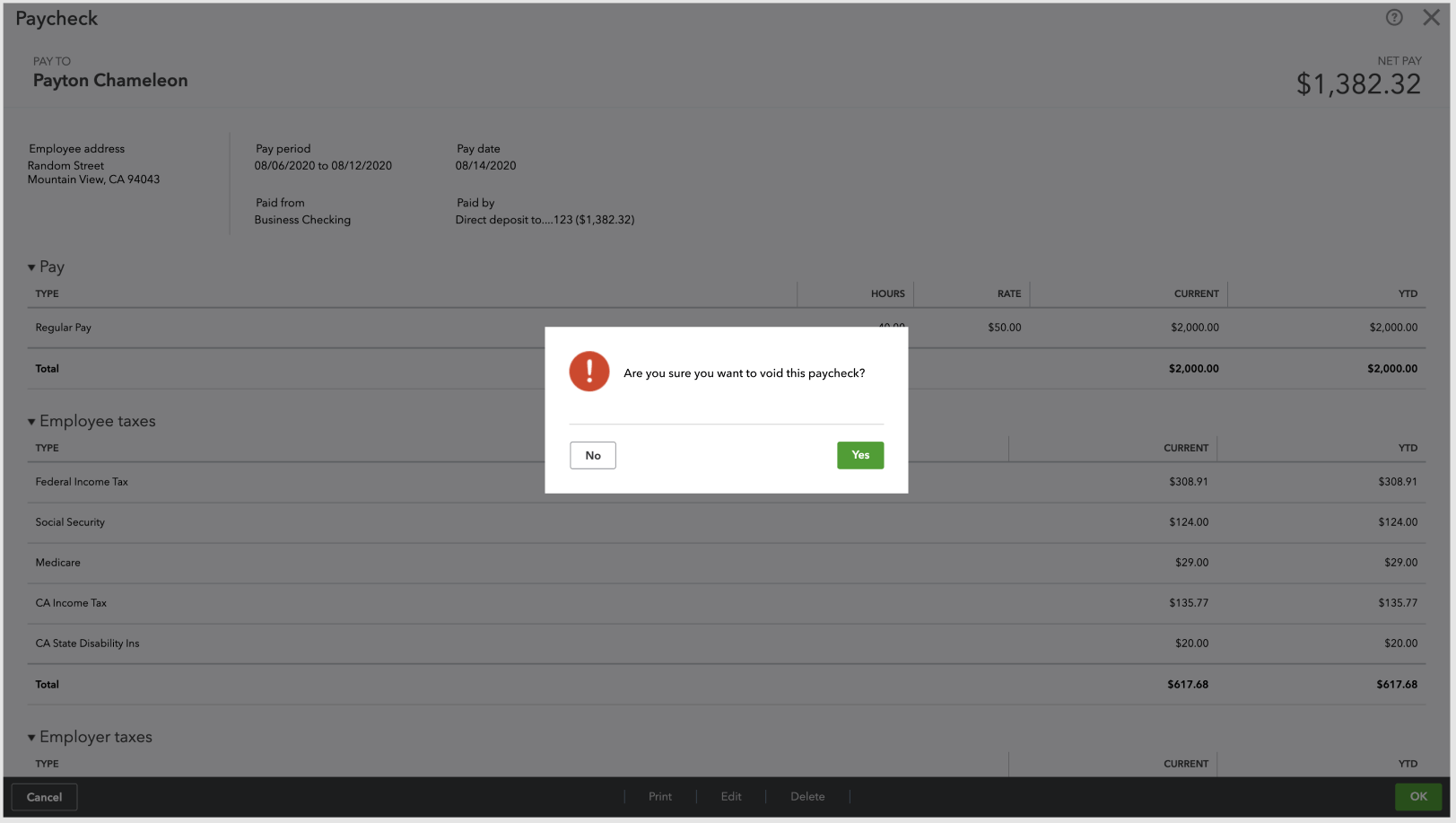
This message questions the user, uses an alarming visual indicator, and doesn’t explain what will happen next.
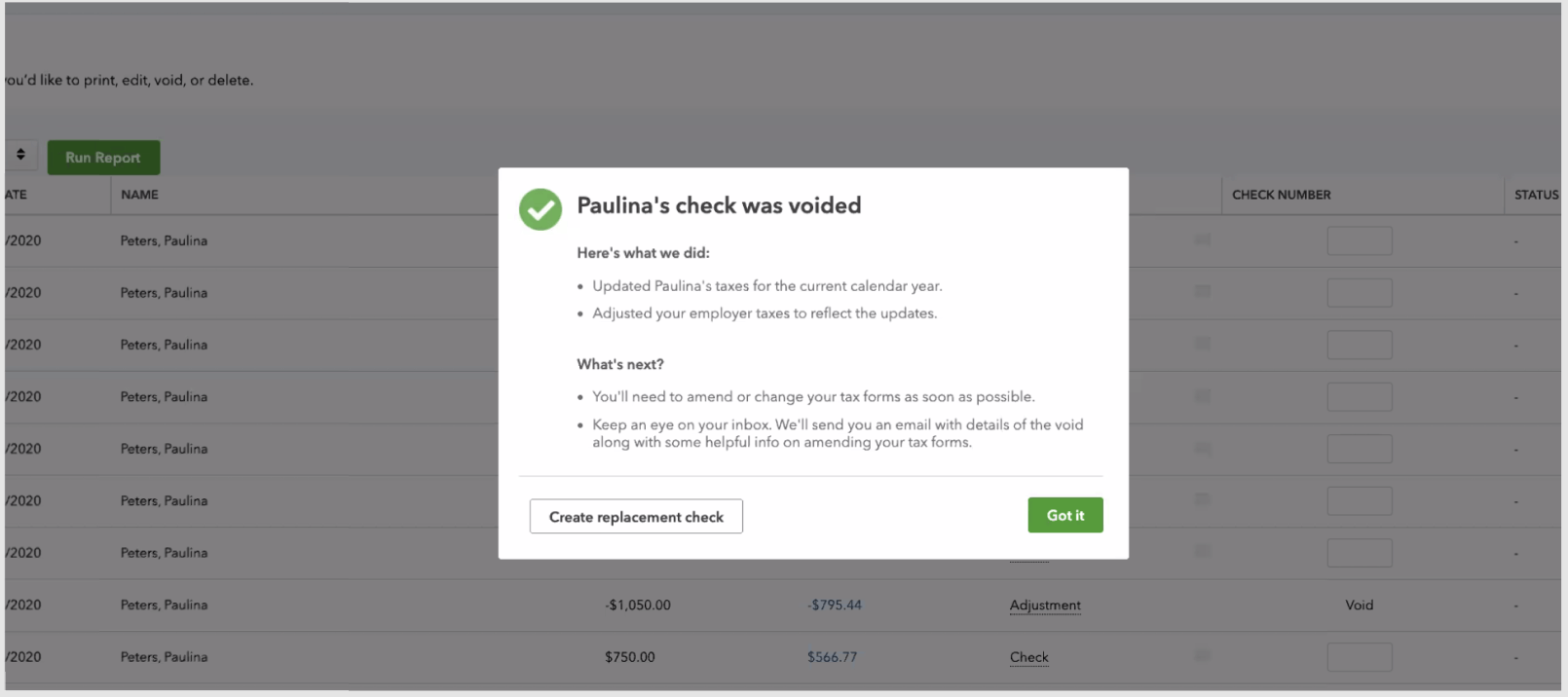
This confirmation includes important details that would have been more helpful to see before voiding the check.
New experience
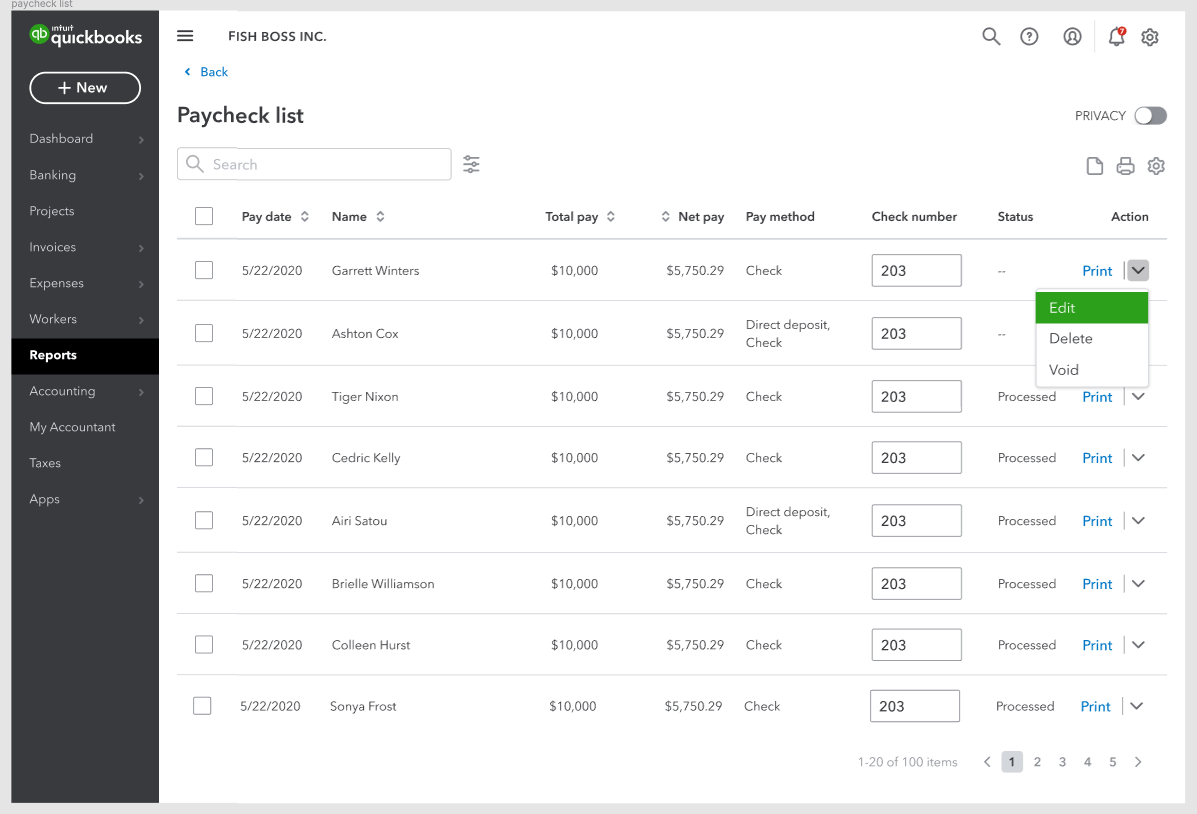
Customers can now correct paychecks on their own when there are no tax implications. This gives them more control and lets them resolve issues without contacting support. When corrections aren’t possible, we clearly explain why.
Customers now see edit, delete, and void options directly on the paycheck list and details page. Based on feedback, we kept these options visible and explained when an action wasn’t available instead of hiding it.
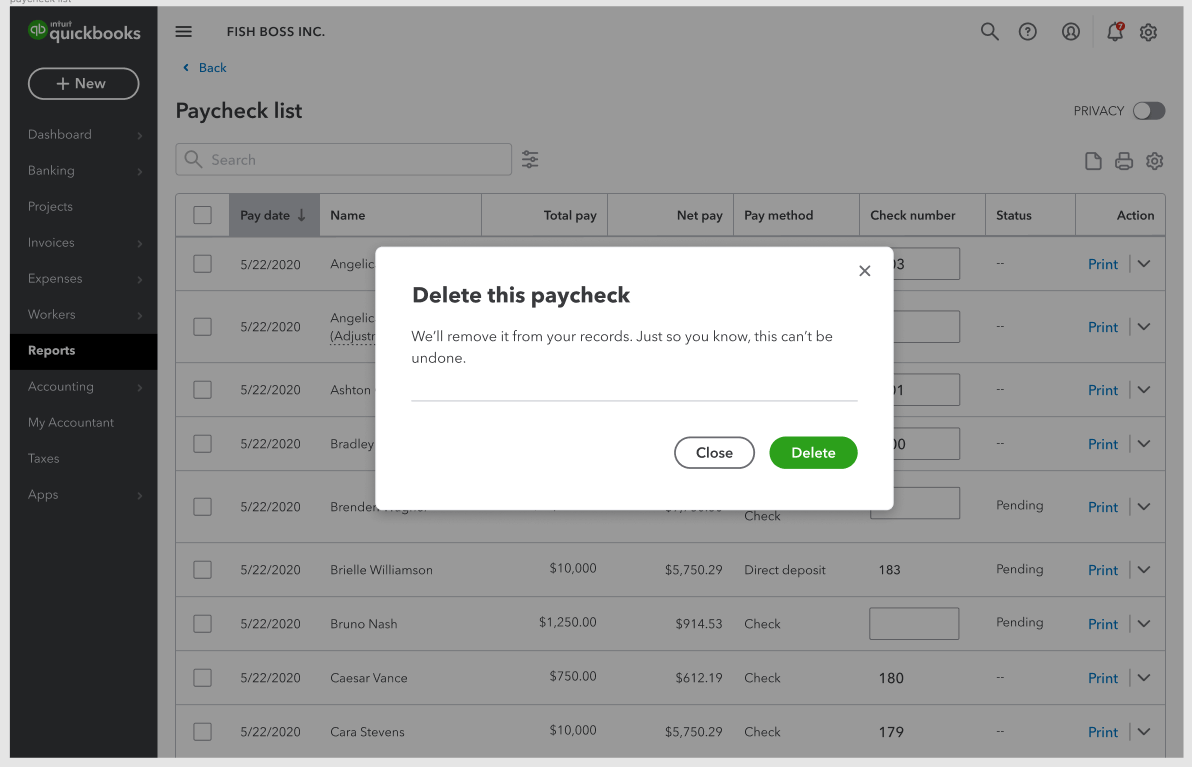
Instead of questioning the customer’s intent, I confirmed their action and explained what it means and what happens next. A toast message then confirms when the deletion is complete.
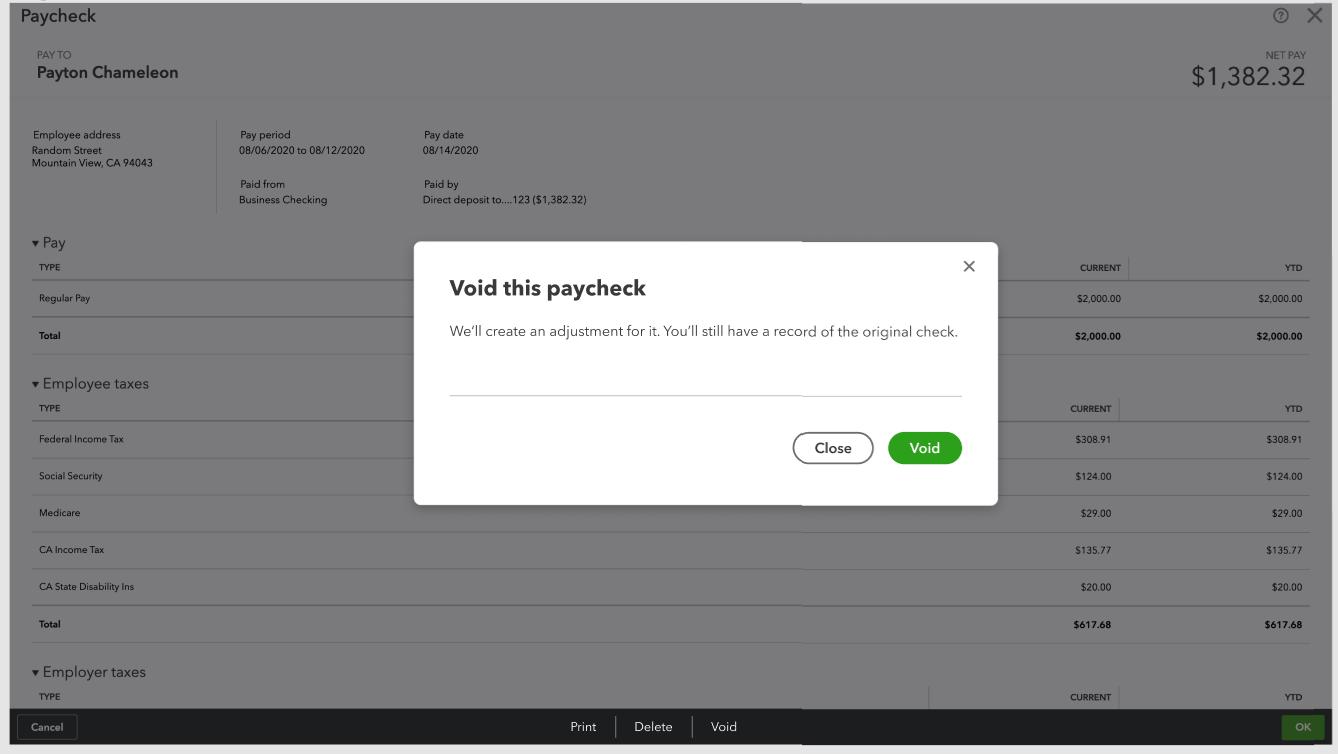
Similar to delete, I explained what voiding a check means so customers could make an informed decision.
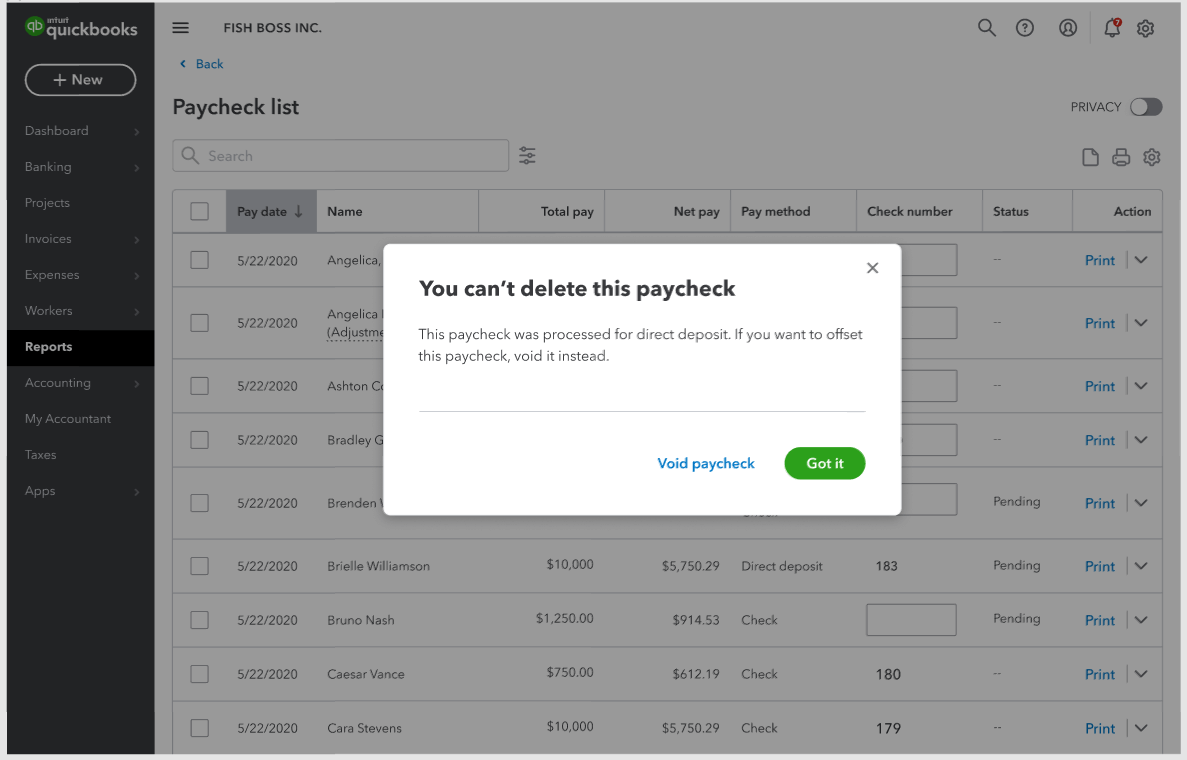
If it wasn’t possible to delete, I explained why and guided customers toward voiding as the better option.
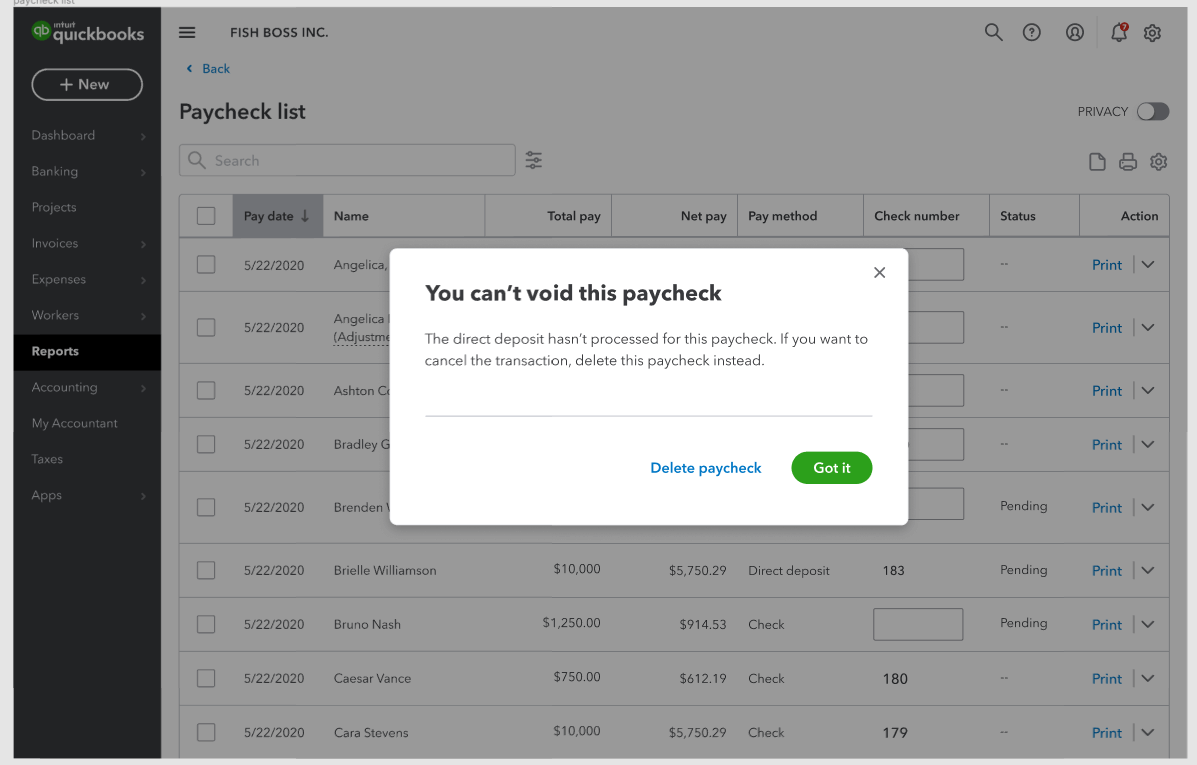
If voiding wasn’t an option, I explained why and let customers know they could delete instead.
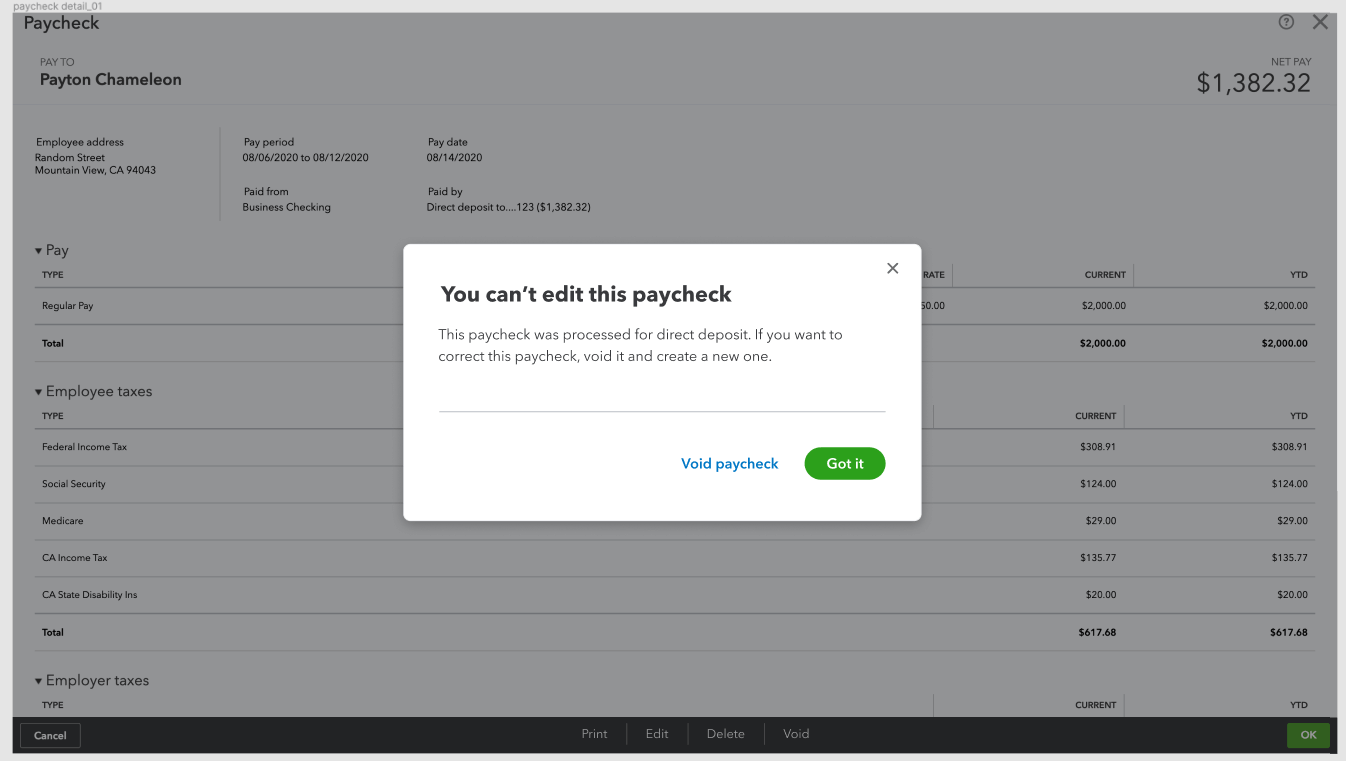
When editing wasn’t available, I explained the limitation and suggested voiding as the next step.
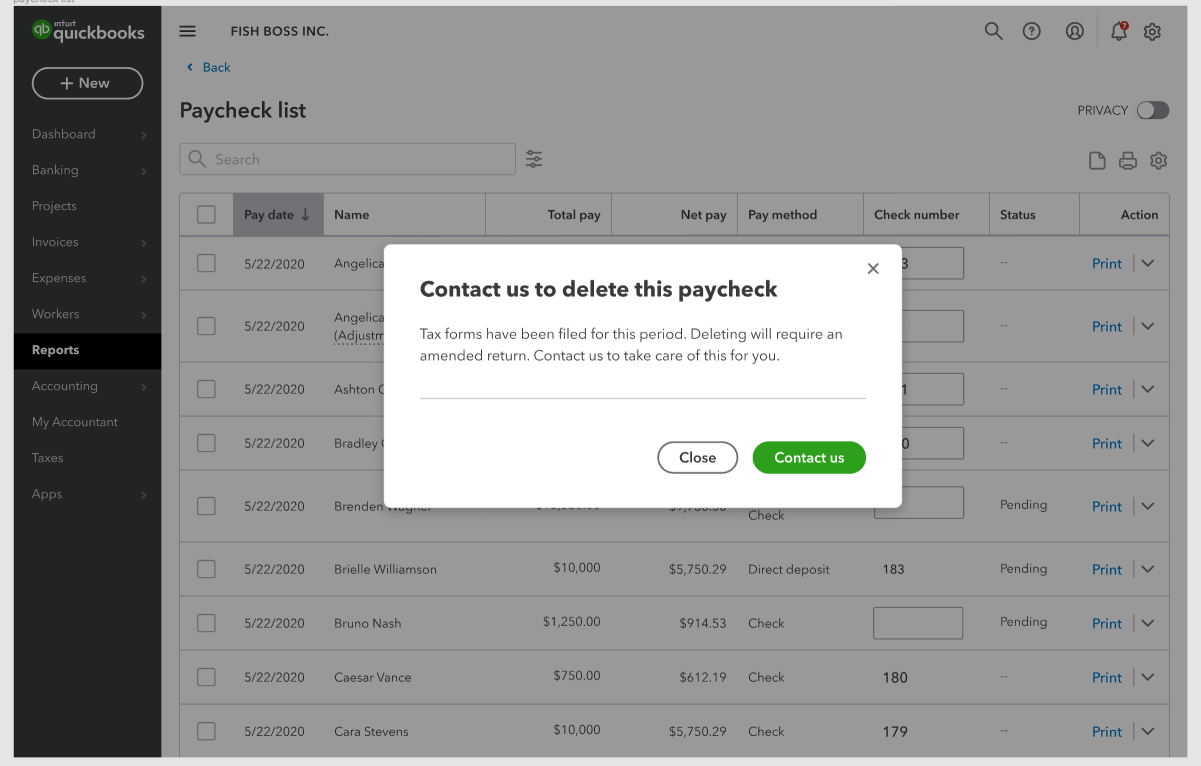
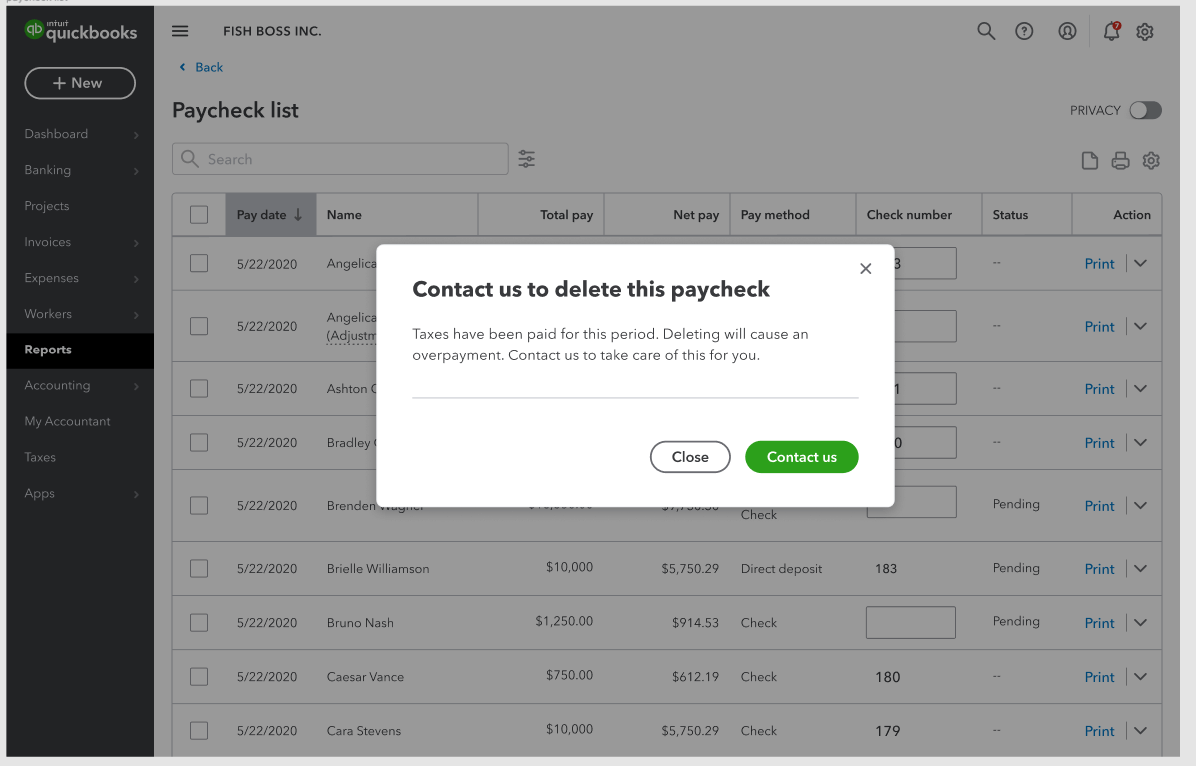
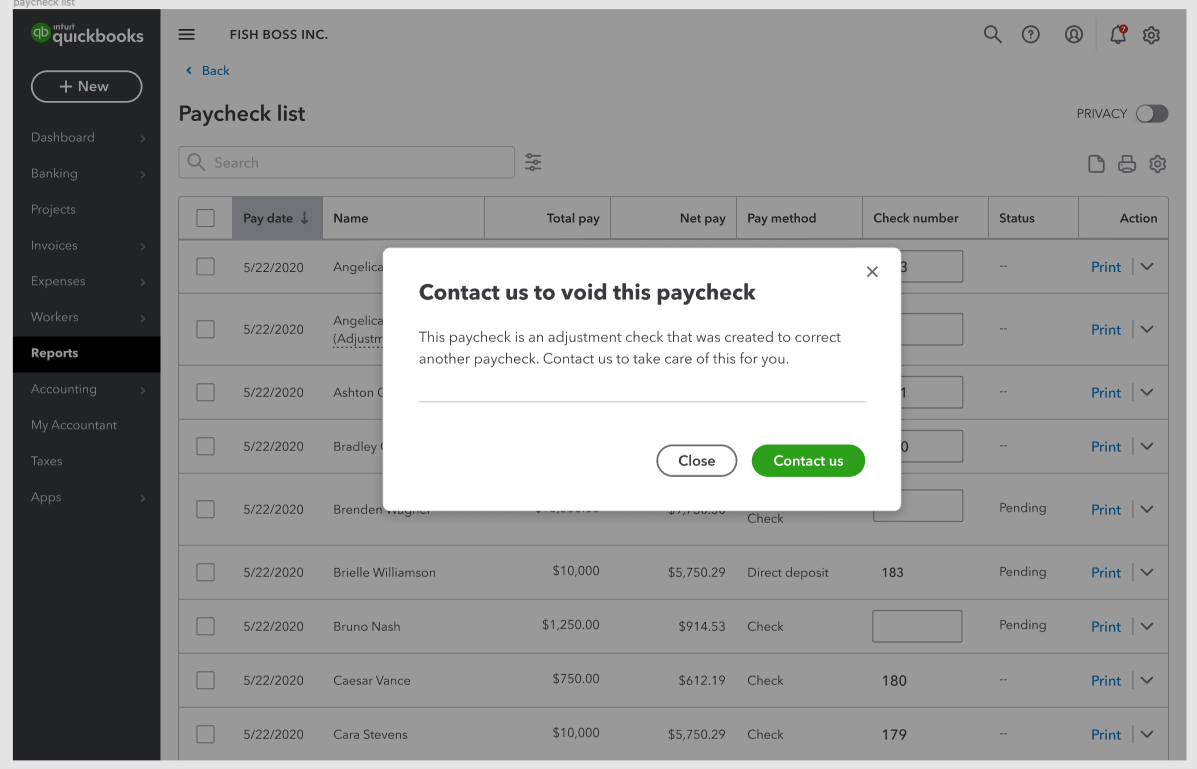
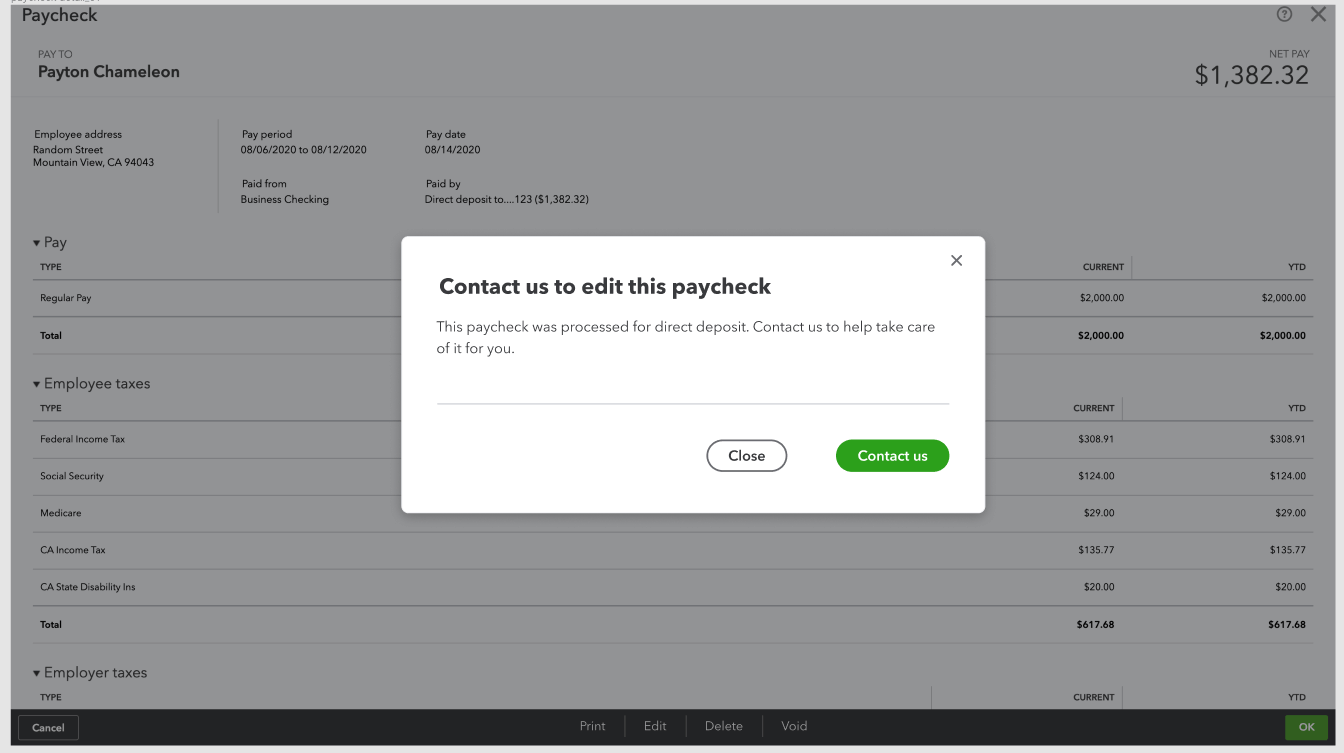
Some corrections couldn’t be completed by customers themselves because of tax implications. I explained the reason and provided a contact option. Sharing the context upfront helped customers understand the limitation and made it easier for care agents to assist them.
Looking ahead
At the time, we planned to expand correction flexibility to support more complex scenarios. Customers were still limited when tax implications were involved. Ongoing research focused on understanding the most common needs so we could better guide customers through corrections and tax recalculations. When support was still required, customers could contact care, but we anticipated these improvements would further reduce calls.
Small content changes here made a big difference for both customers and care teams.